How a Pharmaceutical Company Moves Regulated Lab Data Across Locked-Down Networks With Minimal Upkeep

GoodSync bridges 440+ isolated lab workstations under strict compliance controls, delivering large datasets to enterprise storage and S3 with almost no daily management.

Industry
Pharmaceutical & Life Sciences
Company Size
440+ GoodSync endpoints, 9–10 dedicated servers
How a Pharmaceutical Company Moves Regulated Lab Data Across Locked-Down Networks With Minimal Upkeep

KPIs Achieved

440+
Lab workstations and endpoints managed

Standalone lab machines write directly to enterprise storage, with dedicated servers moving data between locations

800–900
Sync and backup jobs running on a handful of servers

Mostly one-way backup and transfer jobs, running reliably once configured

~80%
Of data movement stays internal

GoodSync bridges network segments that can't talk to each other directly, keeping every transfer inside approved, compliant paths

About the Company

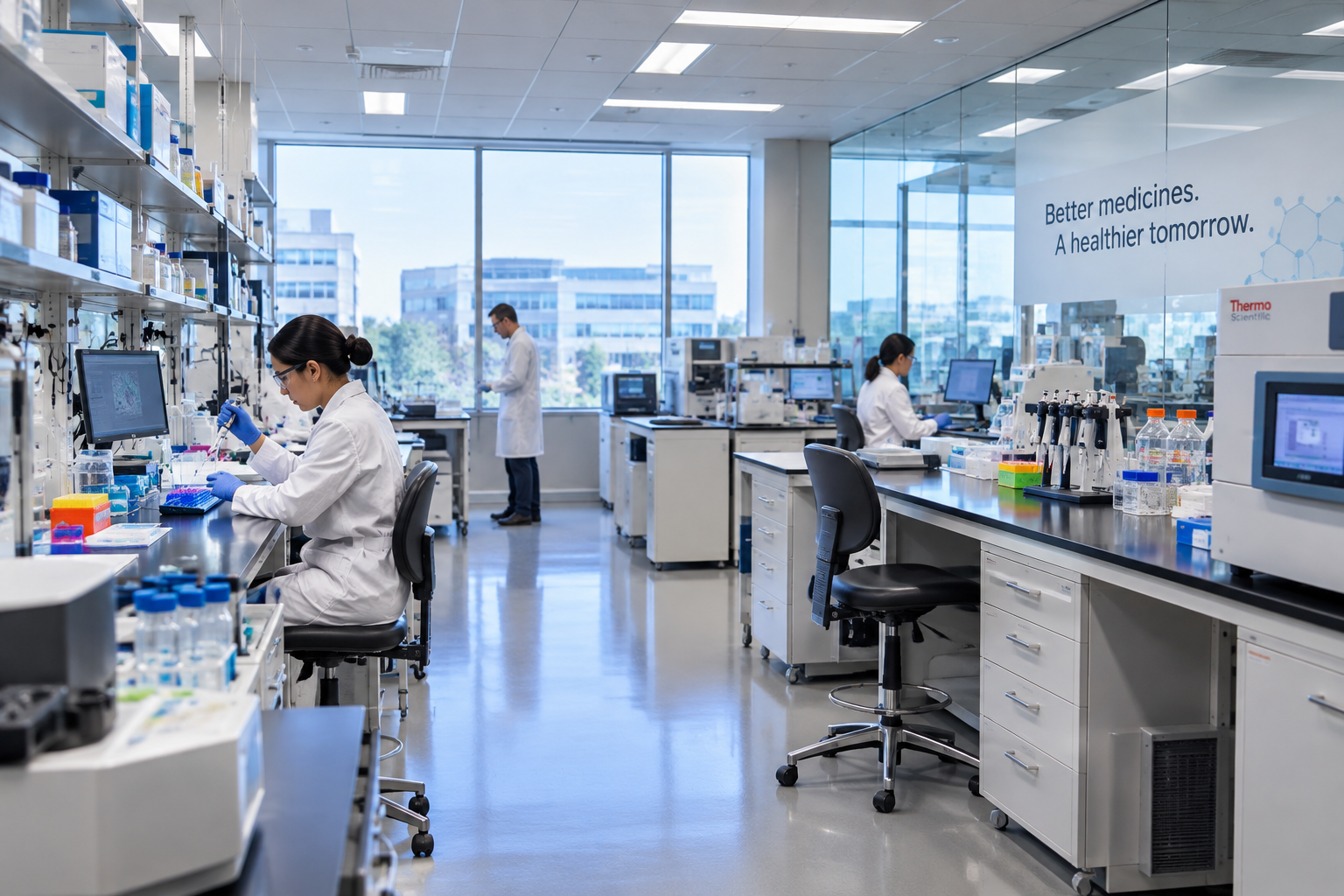
The company is a pharmaceutical organization with research and lab operations across multiple locations. Much of its data originates on standalone lab instruments and workstations: machines that sit behind strict firewalls, run under change-control rules, and in some cases belong to regulated systems that can't be auto-updated. Data from these systems has to reach enterprise storage, other sites, and cloud analytics platforms like S3, always along approved network paths. The team that manages GoodSync also acts as its system owner and product owner, maintaining documentation, SOPs, and deployment standards internally.

The Challenge: Moving Data Between Systems That Aren't Allowed to Talk to Each Other

Lab machines are isolated by design, but the data they produce is needed elsewhere, often quickly. Early on, getting that data out meant manual effort, difficult management, and a heavy approval process.

Network controls icon

Strict Network Controls and Approval Processes

Firewall rules, approval workflows, and compliance requirements limited how data could move between locations. Any tool had to fit inside approved paths. Bucket-to-bucket and site-to-site transfers couldn't simply be opened up for convenience.

Lab machines icon

Hundreds of Standalone Lab Machines

Roughly 440 lab workstations and instruments ran independently. The early deployment was manual, with no central client-server management, making day-to-day administration a significant burden for a small team.

Large datasets icon

Very Large Datasets, Tight Turnaround

Analytics teams need data to land in S3 and other regions fast. Some transfers involve very large files and instruments holding millions of files, where a 14-hour delay means 14 hours before analysis can even begin.

Validation icon

Validation and Audit Requirements in Regulated Systems

Regulated systems require proof that data arrived complete and unaltered. The team needed checksum validation and tamper-resistant records of every transfer, which they had to assemble manually from logs.

Once you set it, you can almost forget it. Unless something happens to the source or there's no storage on the destination, we really don't manage the servers directly.

Systems Owner, GoodSync Deployment

The Solution

The company standardized on GoodSync as the controlled bridge between isolated environments — upgrading clients, adding dedicated servers, and building a repeatable operating model around it.

Clients Write Directly to Enterprise Storage

Clients Write Directly to Enterprise Storage

After a platform upgrade, most lab clients were moved to a current release and configured to write straight to enterprise storage, removing manual handling and making data movement consistent across sites.

Dedicated Servers as a Compliant Bridge

A set of dedicated servers moves data between locations that can't connect directly. Because the GoodSync service is approved to span those segments, it's the compliant path for data that otherwise couldn't move at all.

Dedicated Servers as a Compliant Bridge
Fast Delivery to S3 and SMB Shares

Fast Delivery to S3 and SMB Shares

GoodSync delivers large datasets to S3, other regions, and SMB shares so downstream analytics can begin without delay. Most jobs are one-way backups, which suits regulated data movement.

How It Works

The company runs GoodSync in a locked-down, change-controlled environment, so the design emphasizes stability, security, and predictable upgrades over being on the newest release.

Server connectivity

Server-to-Lab-Machine Connectivity

GoodSync servers connect to lab machines via GoodSync Connect (GSTP) or direct IP. Connections stay inside approved firewall rules and can be scheduled, monitored, and switched off, giving the security team clear visibility into every data path.

Version-locked releases

Version-Locked Releases for Regulated Systems

Rather than chase every release, the team tests a specific point release, locks it as the approved version, and deploys it as needed. Regulated systems are never auto-updated, and the approach has worked without issue.

Service accounts

Security-Aligned Service Accounts

Following the security team's requirements, the GoodSync service runs as a group managed service account (gMSA), with the application GUI run under a separate account so the same identity never runs both.

The Results

After upgrading and rebuilding the deployment around dedicated servers, the team went from a painful, manual setup to an environment that largely runs itself.

Management effort

Management Effort Dropped Dramatically

Time spent administering GoodSync fell sharply. Unless a user reports a problem, the team doesn't actively manage the servers, which frees a small team to focus elsewhere.

Scale and reliability

Scale and Reliability on Large Transfers

Hundreds of jobs run across a handful of servers. In one case, a single instrument held roughly 2 million files, and GoodSync completed the transfer where other tools failed. It took a long time, but it finished the job.

Compliant data movement

Compliant Data Movement at Enterprise Scale

Data moves between isolated environments and to S3 entirely within approved network paths, keeping regulated systems compliant while making data available for analytics.

It just works, and it's low maintenance. Once the jobs are properly configured, it's point, click, configured, done.

Systems Owner, GoodSync Deployment

Key Takeaways

Compliant bridge

A Compliant Bridge Between Isolated Systems

GoodSync moves data between network segments that can't connect directly, while staying inside the company's security and change-control rules

Set and forget

Set It and Forget It at Scale

Hundreds of endpoints and 800–900 jobs, running with minimal day-to-day management once configured

Ready to Move Regulated Data Without the Overhead?

See how GoodSync can bridge isolated environments, protect data integrity, and keep your team out of the day-to-day.

Ready to Move Regulated Data Without the Overhead?